Why Your PLC Thinks It's 1970
PLC Time Synchronization is calling
5/4/20264 min read
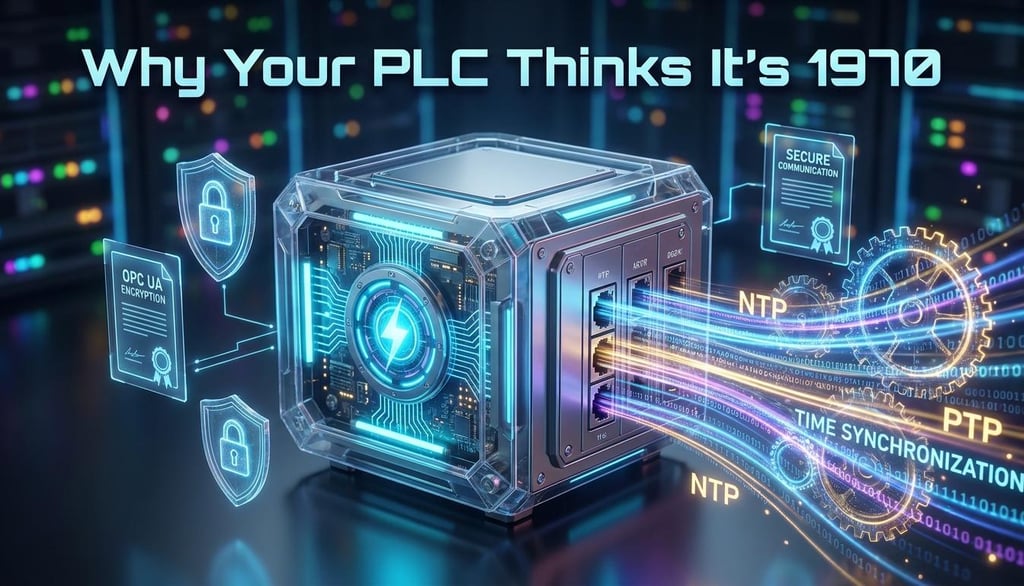

Why Your PLC Thinks It's 1970
(and Why Your Security is Breaking Because of It)
We’ve all been there. You’re standing in a cold control room, the hum of the server rack providing a low-frequency soundtrack to your frustration. You’ve deployed a pristine OPC UA configuration on a shiny new Siemens S7-1500. The certificates are fresh, the encryption is "Sign & Encrypt" (as the gods of cybersecurity intended), and your firewall rules are tight. You hit "Connect," expecting a green light.
Instead, you get a "Certificate Expired" error. You double-check the file. It was issued yesterday. It expires in three years. You check again. And then, you look at the PLC’s diagnostic buffer.
The CPU thinks it is January 1st, 1970.
Welcome to the modern era of automation, where a PLC’s internal clock is no longer a luxury for timestamping logs—it is a foundational requirement for your network to even function.
The Ghost in the Machine: System Time vs. Local Time
In the world of the S7-1500, time is a dual-layered reality. There is the System Time, which is strictly UTC (Coordinated Universal Time). This is the "True Time," the heartbeat of the CPU. Then there is the Local Time, which is effectively a cosmetic layer we apply so humans don’t have to do mental math for Daylight Saving Time (DST).
The CPU doesn't care about your time zone. It cares about UTC. When you’re commissioning, you might be tempted to use the "Manual Fix"—diving into TIA Portal’s Online & Diagnostics and clicking "Sync with PG/PC." It’s satisfying, like winding an old watch. But it’s a trap. A PLC’s hardware real-time clock (RTC) is a valiant little soldier, but without a battery (and even with a super-capacitor providing 20 days of backup), it will eventually drift or reset. For a system meant to run for a decade, manual syncing is just a recipe for future failure.
"Back in My Day..."
The S7-1500 changed the game. It brought native NTP (Network Time Protocol) support directly into the CPU’s hardware properties.
In the old days, clocks were "nice to have" for diagnostic buffers. In the S7-1500 era, the shift has been philosophical: clocks are now for encryption. The hardware RTC is better, sure, but the software’s reliance on that clock has become absolute.
The Unix Epoch start date is 00:00:00 UTC on January 1, 1970
Precision vs. Popularity: The NTP vs. PTP Debate
When we talk about syncing, we usually talk about NTP. It’s the reliable old friend of the networking world. For 99% of industrial applications, NTP’s 1-10ms accuracy is more than enough.
But then there’s PTP (Precision Time Protocol / IEEE 1588). This is the high-maintenance elite of the time world. It offers sub-microsecond precision, which is essential for isochronous motion control where every micro-tick of the clock matters. However, PTP requires "smart" switches that understand the protocol. Unless you’re doing high-end motion, stick to NTP.
A Pro-Tip for the Wise: Don't annoy your IT department. If you set your PLC to poll an NTP server every 10 seconds, its security monitors will flag your PLC as a source of "Time Flooding"—a polite way of saying you look like a DDoS attack. A polling interval of 300 to 600 seconds is the sweet spot of being "current" without being a "nuisance."
When Time Goes Tall: Pitfalls
There is a certain danger in automated synchronization: the "Silent Failure." If your PLC is pointed at a "Non-Synchronized Master"—say, a random Windows PC on the plant floor that isn’t itself synced to a Stratum-1 atomic clock—your entire plant will inherit that inaccuracy. Garbage in, garbage out.
The Security "Need to Know"
Why does the PLC care so much about its watch? It comes down to the X.509 Certificate Handshake.
When an OPC UA client tries to connect via a secure channel, the PLC performs a temporal sanity check. It looks at the certificate’s "Not Before" and "Not After" dates. If the PLC thinks it’s 1970, and your certificate was issued in 2024, the PLC concludes that the certificate is from the impossible future and slams the door shut.
Then there’s the 24-Hour Rule. In S7+ secure communication (the stuff that lets your HMI or TIA Portal talk to the CPU), there is a strict anti-replay mechanism. If the PLC and the client are more than 86,400 seconds (24 hours) apart, the connection is toast. This isn't a bug; it's a security feature designed to prevent attackers from replaying old authentication packets. If your clock is wrong, you are effectively locked out of your own gear.
The Crystal Ball: What’s Next?
The future of time is becoming even more integrated. We are moving toward TSN (Time Sensitive Networking), where standard Ethernet gets a professional-grade clock upgrade to handle deterministic traffic. We’re seeing Secure NTP and FQDN (Fully Qualified Domain Name) support, so we don't have to hard-code raw IPs anymore.
We are also seeing the rise of UMAC (User Management and Access Control), ensuring that not just anyone with a laptop can "wind the clock." Changing the time is becoming a privileged action, as it should be.
The Final Verdict
Time Synchronization in Automation Environments:
In this entry, you will find the most important entries on the 'Time Synchronization' topic in Industry Online Support.
https://www.industry-mobile-support.siemens-info.com/en/article/detail/86535497
If you want your modern automation system to behave, you can no longer treat the clock as an afterthought. Here is your checklist:
Trust UTC: Set your System Time to UTC and never look back.
Use NTP: Configure at least two (preferably four) redundant NTP servers.
Respect IT: Set your polling intervals to a reasonable 5-10 minutes.
Check the Handshake: If your OPC UA connection fails, check the PLC's watch before you revoke the certificate.
In the 1970s, "time is money" was a business cliché. In the 2020s, "time is security." Don't let your PLC get stuck in the past.